
KKCOBVR K3 Review: The Fan Facial Interface That Really Works
The KKCOBVR K3 puts a real fan directly in the Quest 3 facial interface. It made a night-and-day difference during Beat Saber and other fitness games, although the single pad, battery life and KIWI K4 Boost compatibility need careful consideration.
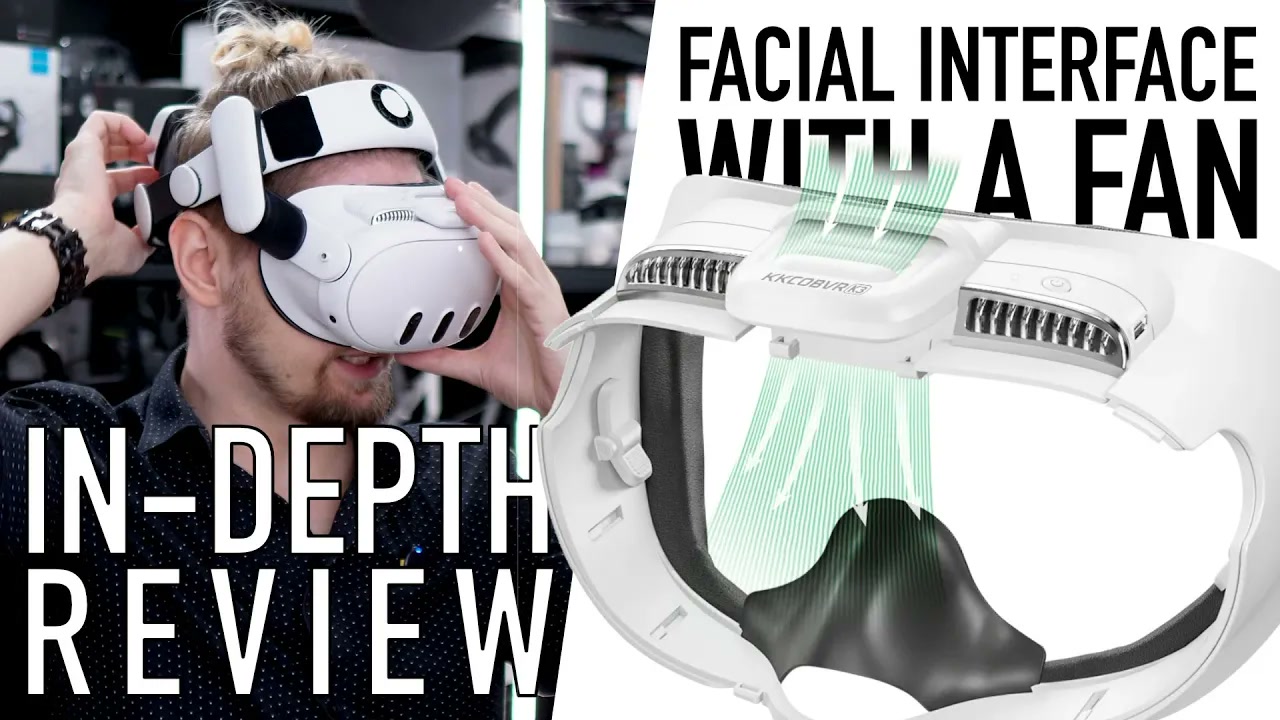
Want the full version? The video review includes all the demonstrations, comparisons and extra details that are easier to show than describe.
Watch the full review on YouTubeDisclosure: This video includes affiliate links. As an Amazon Associate, I earn from qualifying purchases, and I also try to use other affiliate links when they are available.
Quick verdict
At the $46 price mentioned in my video, the KKCOBVR K3 is one of the few Quest 3 accessories where the headline cooling feature genuinely works. The fan blows air directly across the area around my eyes, and it made a huge difference especially during Beat Saber Expert and other fitness games.
Without the fan, I sweat much more. With it running, I usually sweat very little or not at all on my face. The K3 is also a very good partner for the BOBOVR S3 Pro: the K3 cools the face while the S3 Pro fan cools the forehead and upper part of the head.
It is not the facial interface I would recommend to everyone. The fan can be too much for people with dry eyes, it is audible without headphones, and the battery lasts about three hours in my testing rather than the official four hours on low speed. There is only one PU Leather pad in the box, and removing it already weakened the adhesive holding the Velcro in my review unit. It also works poorly with the KIWI design K4 Boost, but great with every other head strap I tested.
Pros
- Fan creates a real, immediate cooling effect
- Comfortable on my face
- Includes glasses adjustment with up to 8.8 mm of extra distance
- Almost no light leakage in the default position
- Works with official and BOBOVR charging docks
- Can be charged while running from a power bank
Cons
- Expensive ($46, but often can be bought much cheaper)
- Only one PU-leather pad is included
- Fan can be unpleasant for people with dry eyes
- Fan noise is noticeable without headphones
- Battery lasted about three hours
- Slightly heavier than most facial interfaces
- Removing the pad weakened the Velcro adhesive in my sample
What comes in the box
At the $46 price, the box is surprisingly simple. The K3 comes with the facial interface, one PU-leather pad, a short top strap for elite-style head straps, a short charging cable and the manual.
The included top strap is useful because the fan occupies the normal attachment area. The strap is very simple and has no padding, but it worked with my small head and many head straps. The bigger problem is the pad. There is no spare pad in the box, so if the original one wears out or gets damaged, I would need to find a replacement separately.
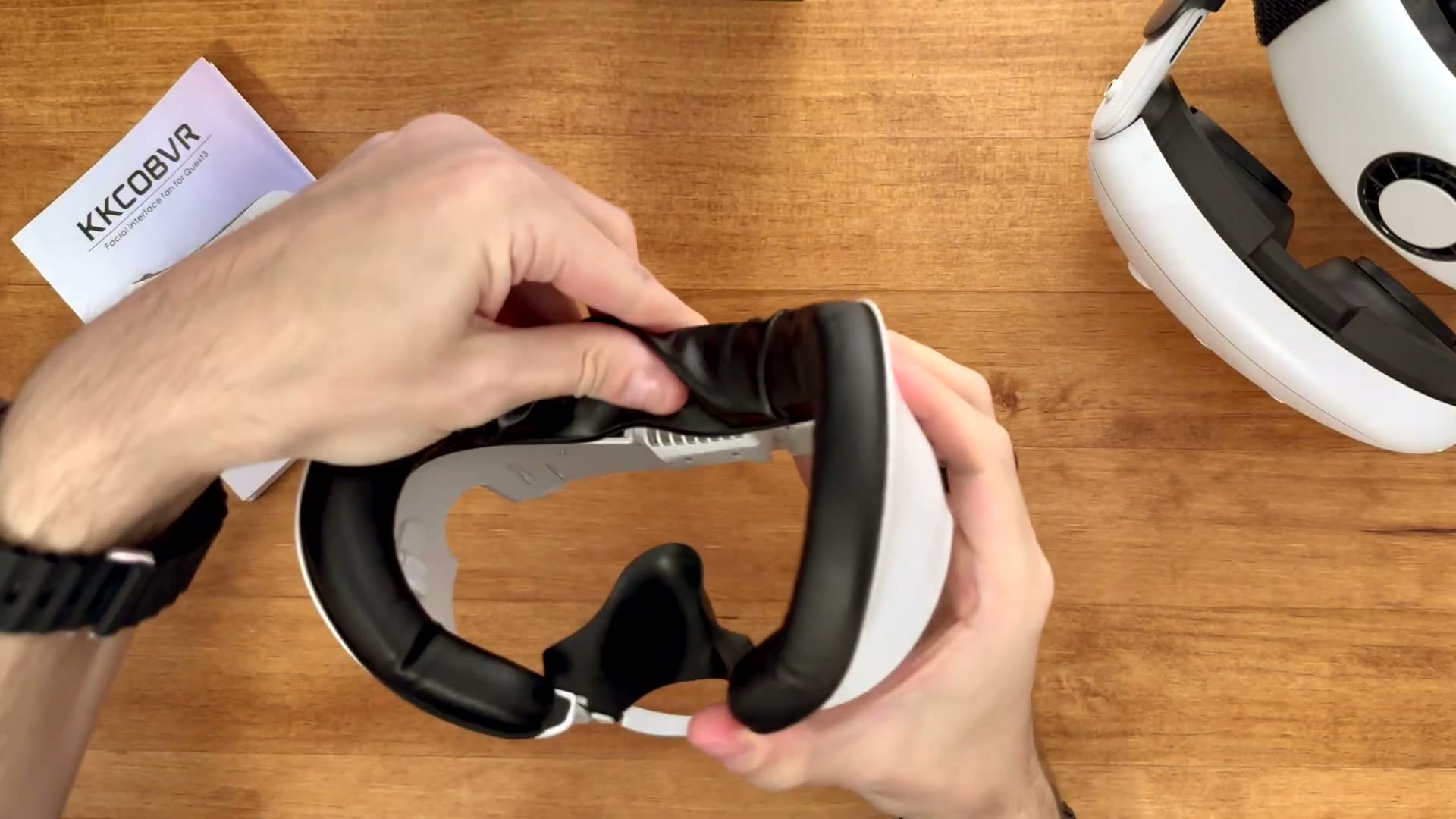 The K3 has a central fan housing and air channels on both sides of the interface.
The fan makes a real difference
There are two fan speeds. One press turns it on at the lower speed, the second press selects full speed, and the third turns it off.
Even the lower speed is useful outside fitness games. In a normal shooter, I can feel the difference immediately, but after a few minutes I stop noticing the airflow. That is a good result: I am not distracted by the fan, but I also do not get as hot.
The difference becomes much bigger during active games. I do not use the controller analogue stick for turning, so I move around physically and get hotter than I would in a seated game. In Beat Saber at Expert, the lower speed was sometimes not enough, but full speed reduced my sweating dramatically. I still felt a little sweat after a difficult session, but it was nowhere near what I experienced without the K3.
The airflow is not distributed evenly across the whole face. It starts strongest around the upper centre, then moves toward the nose and across the rest of the face. That is why I feel it immediately when I turn it on, but do not keep feeling a strong stream after I start playing.
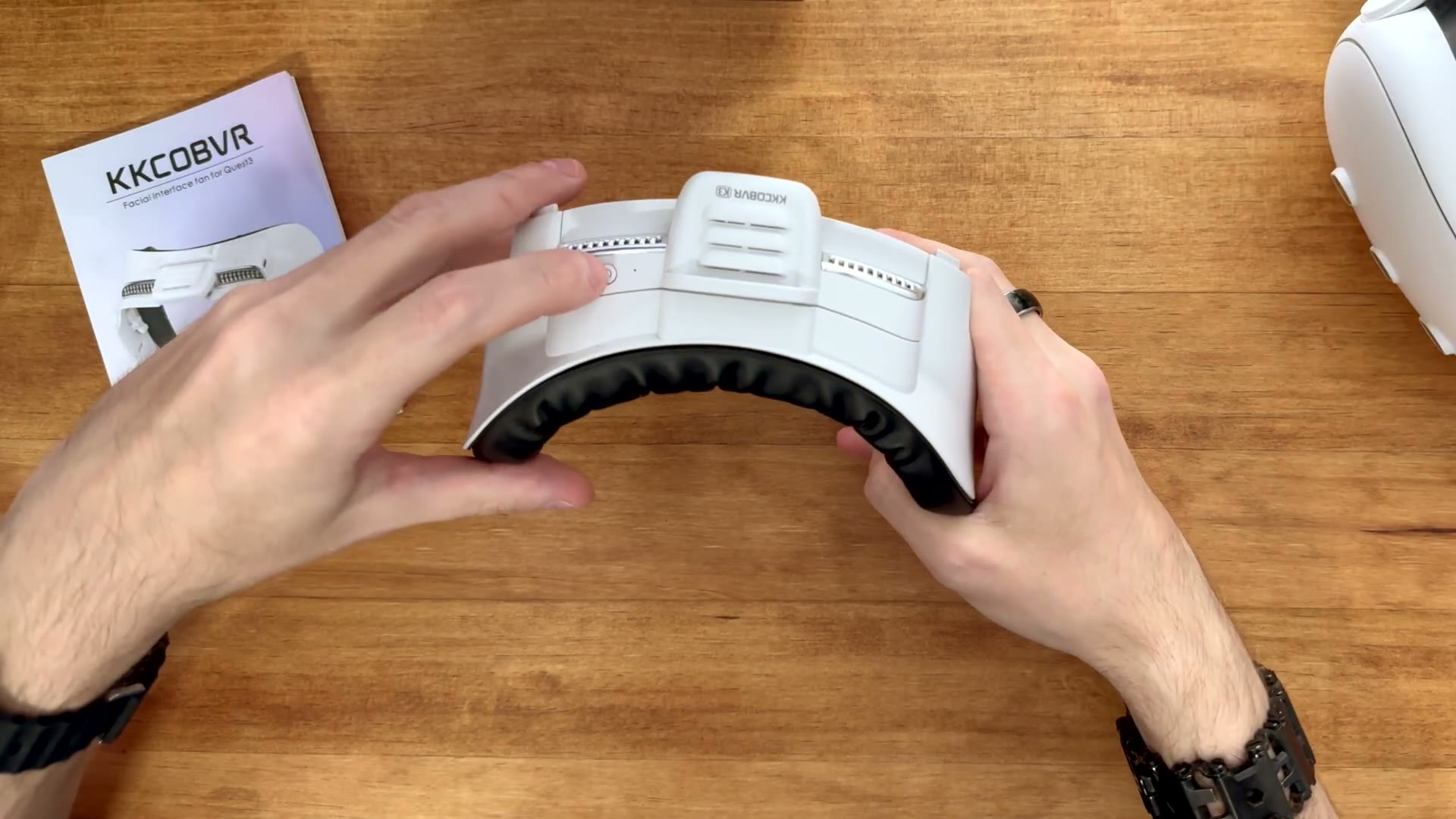 The central fan and the air openings direct airflow toward the face.
K3 with BOBOVR S3 Pro
A common question is why I would use two fans. The answer is that they cool different areas.
The BOBOVR S3 Pro fan blows across my forehead and the upper part of my head. The K3 blows into the facial-interface area around my eyes and nose. Together they cover much more of my face than either fan alone. The two fans are not redundant in my use, although this setup is heavier and more complicated than using one fan.
The noise is not a major issue for me because I normally use headphones. With music or game audio playing, I do not hear either fan clearly. Without headphones, the K3 is audible. The S3 Pro is louder to me and has a different frequency, so people who play without headphones may prefer the K3’s sound but should still expect fan noise.
Dry eyes and light leakage
The airflow is aimed toward the eyes, so people with dry eyes should be cautious. I did not have a problem during the active games in my test, partly because I was moving. In slower games, where I am sitting still and looking at puzzles or menus, I could feel the air more directly. If your eyes already become dry in VR, this fan could make that worse.
The nose cover has an opening where the air exits. Because the cover seals against the face, this opening is also the main place where light can enter. I see more of my surroundings through the nose area than with AMVR’s interface, although the leakage is not extreme on Quest 3.
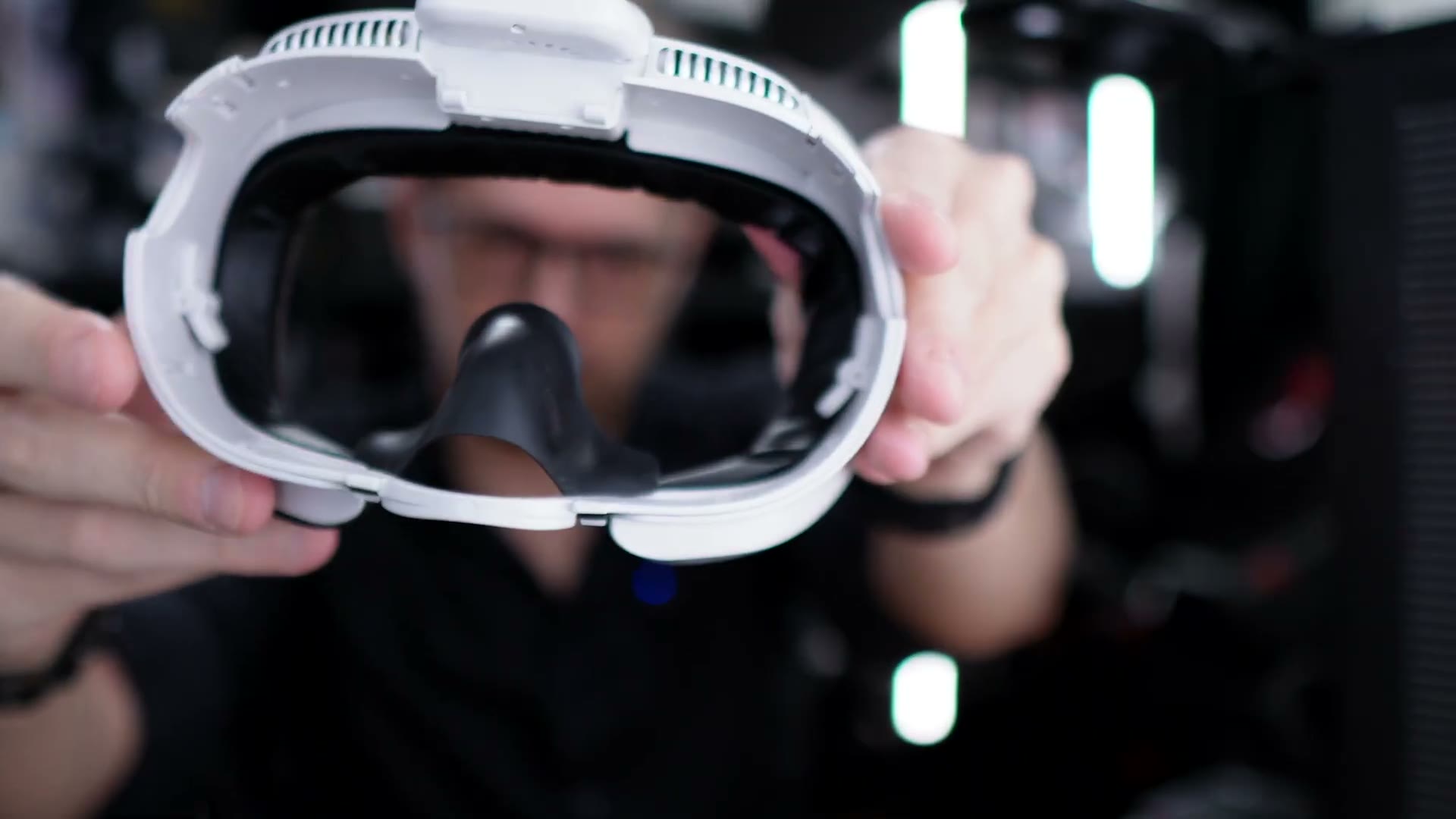 The nose opening is part of the K3’s airflow path, but it also allows some light leakage.
Fit, glasses and field of view
The K3 fits my small face very well. It sits close to the face without creating annoying movement, and in the default position I see almost no light leakage during gameplay.
The glasses adjustment moves a headset up to 8.8 mm farther from the eyes. That gives me enough room for my glasses and also lets me use prescription lens inserts in the default position. Because I do not need to move the headset away from my face, I can keep more of the field of view than I can with interfaces where I have to use the glasses spacer.
Fit will depend on face shape. The space on the left and right is quite tight on my face, so people with larger heads or larger glasses should check the dimensions carefully. When I move the glasses adjustment outward, a little more light can enter, but it is still less problematic than the old AMVR interface I tested.
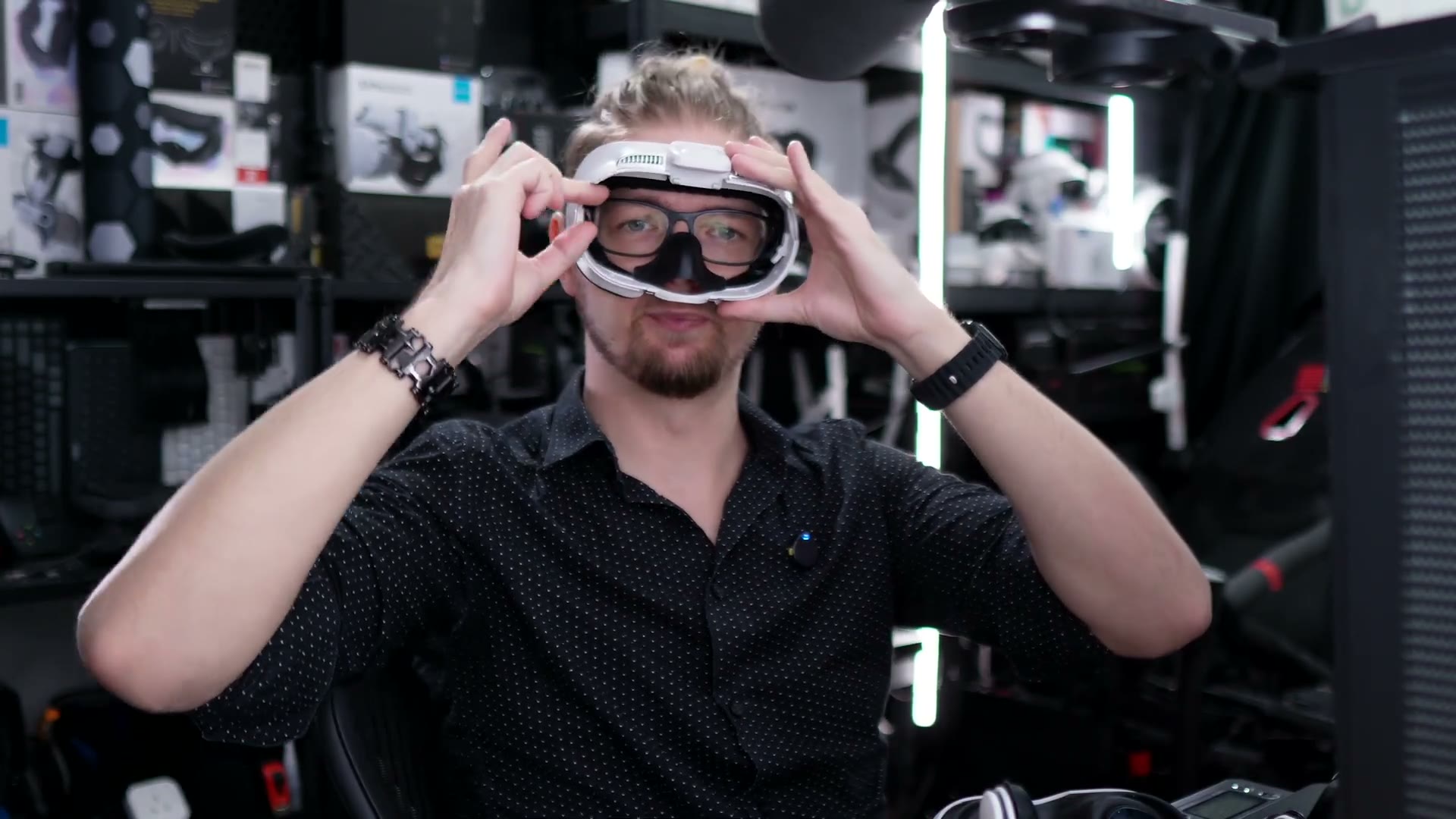 The K3 leaves room for my glasses while keeping the interface close to my face.
Removing the K3 is less convenient than removing Globular Cluster’s interface. Pulling it directly can sometimes make the glasses adjustment move or come loose. I learned to squeeze the two locking parts together firmly before pulling. With that technique, removal became reliable, but it is not something I would want to do quickly every time.
Weight and charging
The K3 weighs 116.4 g. The Quest stock facial interface is about 64 g, while the AMVR interface with adjustment knobs that I compared it with is about 102 g. The K3 is heavier, but I do not feel the difference on my head probably because the weight is close to my face and the fit is good.
The internal battery lasted about three hours at the lower speed in my testing. At full speed, it lasted about two hours and 55 minutes. The official figures are four hours on low and two hours on full power, so my results were roughly three hours at both speeds.
Three hours is acceptable for one session, but I need to charge it almost every time after playing. The good part is that it can run while connected to a power bank, so I can keep using the fan with a cable if necessary.
The K3 also works with the official Quest charging dock and BOBOVR’s dock. It worked for me without removing the nose cover, which is better than some third-party facial interfaces that interfere with charging contacts.
The pad and Velcro problem
The biggest quality concern appeared when I tried to remove the pad. The adhesive holding the Velcro did not hold well in my sample. After I lifted the pad, a large part of the Velcro started to come away with it.
KKCOBVR includes only one pad. I normally expect a facial interface to offer a spare pad or at least an easy way to replace the original pad. With the K3, I would be careful when removing the pad and would not assume that replacement pads will always be available from the manufacturer.
Elite head-strap compatibility
The K3 works with almost all of the elite and halo-style straps I tested. The small top strap included in the box is enough for my head, and there is space for the upper part of a strap without covering the fan.
There is one important exception: the KIWI design K4 Boost. Its rigid plastic front section sits too high behind the K3. That blocks much of the adjustment range and can make the strap detach when I tilt the headset or move it closer to my face.
The K4 Boost relies on those adjustments to change height, distance and angle, so losing them defeats the point of the strap. For me, this is a bad combination. Other elite-style straps worked better.
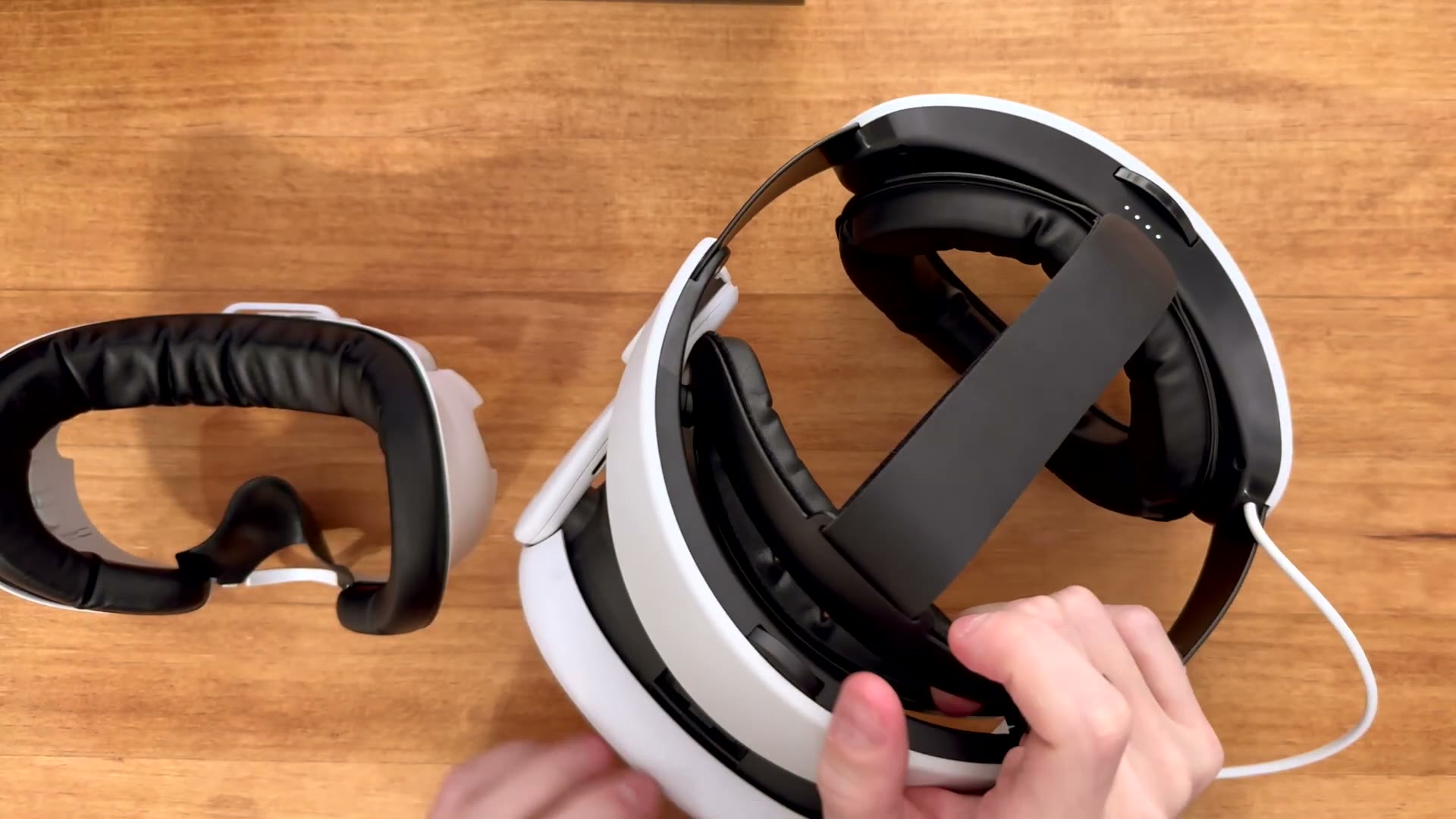 The K3 can be used with an elite-style strap, but the rigid front section of some straps can interfere with its adjustment.
Should you buy the KKCOBVR K3?
Buy the K3 if you play Beat Saber, fitness games or other active VR games and sweat around your face. The fan is not a gimmick in my experience. It made a night-and-day difference, especially in hot climate, and the combination with BOBOVR S3 Pro is genuinely useful rather than redundant.
Skip it if you mostly play seated games, already suffer from dry eyes, never get hot in VR or prefer a soft fabric facial interface. The fan will be audible without headphones, and the battery will need regular charging.
Also avoid combining it with KIWI design K4 Boost, and be careful when removing the single included pad. With those limitations understood, the K3 is one of my strongest facial-interface recommendations for fitness-focused Quest 3 users.
Watch the full KKCOBVR K3 video review on YouTube
Interested in KKCOBVR K3?
These are the same affiliate links I use below my YouTube videos. They cost you nothing extra and help support the channel.